


LinkedIn Learning
4.82.31K Reviews
App Specs
- Version
- 2.308.4
- Updated On
- License
- Free
- Downloads
- 10,000,000+
- Developer
- Categories
- Education
- Platform
- Android, iOS
Screenshots
 Analysis by AppCompare
I judge a learning app not only by how much it offers, but also by whether I can make sensible choices about what I study and how I use it. LinkedIn Learning is an education app from LinkedIn, built around professional and creative development. I’d consider it when I have a specific skill to work on, rather than treating a large course library as a plan in itself. Its average rating is 4.8 from around 176,000 ratings, and it has over 10 million installs, so it has attracted a substantial audience. Those figures offer context, but they don’t tell me whether a particular course suits my needs; choosing carefully still matters.
Trust, control, and the first learning session
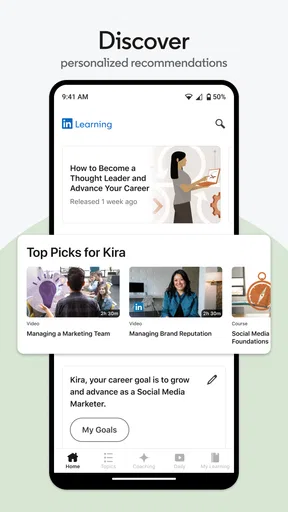
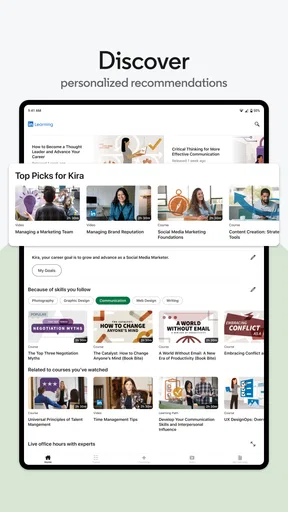
When I first logged into LinkedIn Learning, I was pleasantly surprised by the clean and intuitive interface. It’s like walking into a well-organized library where everything is neatly categorized. The homepage greets you with personalized recommendations based on your LinkedIn profile, which is a nifty way to tailor the learning experience specifically to your needs.
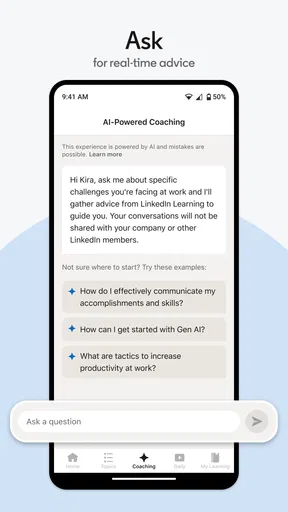
The search functionality is robust, allowing you to easily find courses by keywords or subjects. Whether you’re looking to dabble in data science or dive deep into digital marketing, the platform has a course for nearly every professional field you can imagine.
How I’d use recommendations without letting them choose for me
Personalized suggestions can save time when I’m unsure where to begin, but I’d treat them as a shortlist, not as a verdict on what I need. A profile-based recommendation may be relevant to my work, yet my immediate goal could be different: preparing a presentation, learning a spreadsheet technique, or exploring a creative skill outside my job. I would search for that task directly, then compare a few course outlines before committing.
That approach is useful for anyone who prefers not to have every learning choice shaped by a professional profile. The app’s connection to LinkedIn can make recommendations feel convenient, but it also makes the profile a more personal part of the experience. I’d review the account and profile choices available to me before deciding how closely I want my learning activity tied to my professional identity. A recommendation is helpful; it should not replace my judgment about what I want to study.
Content Variety: Courses Galore
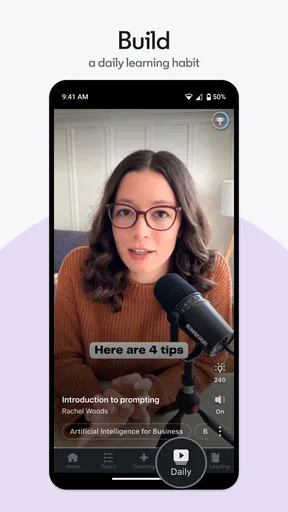
One of the standout features is the sheer variety of courses available. We’re talking thousands of courses spanning tech, business, creative fields, and more. Each course is broken down into bite-sized videos, making it easy to fit learning into a busy schedule. I found myself squeezing in a quick lesson during lunch breaks or while commuting.
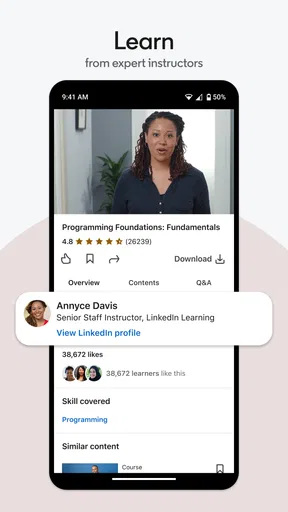
The instructors are industry experts, and their passion for teaching really shines through. As someone who’s tried a fair share of online courses, I can confidently say the quality here is top-notch. The use of real-world examples and interactive exercises enriches the learning experience, keeping you engaged from start to finish.
Worth Reading Before You Choose

EA SPORTS FC Mobile 26 Is a Bigger Football Game, but It Takes Time

Flipboard Shows What News Apps Must Do Beyond the Feed

Switching to Android Auto Means Rethinking Your Driving Routine

Google Calendar Makes a Crowded Week Easier to Manage

Ludo King Makes the Most of the Minutes Between Plans

Baby Panda World Brings Quick Play to Modern Phones, but Its Game Library Feels Busy
Choosing a course for a real work problem
For a practical example, imagine I have a team update due tomorrow and keep losing time formatting a spreadsheet. I’d search for the exact tool or task I need, scan the course description for a close match, and watch a short lesson before applying the steps to a copy of my own file. That is a better use of a video library than starting a broad course simply because its title sounds impressive. The key is to define a small outcome first: a chart I can make, a concept I can explain, or a workflow I can repeat.
This method also helps me decide whether to continue. If the instructor’s approach is clear and the examples resemble my situation, I can keep going; if the material stays too general, I can switch without having invested a whole evening. For deeper subjects such as programming or data analysis, short videos can introduce ideas, but they do not automatically provide the sustained practice needed to become proficient. I would pair a course with a small personal project rather than mistake watching for mastery.
Features That Stand Out
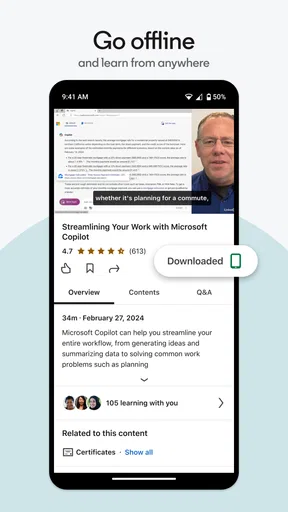
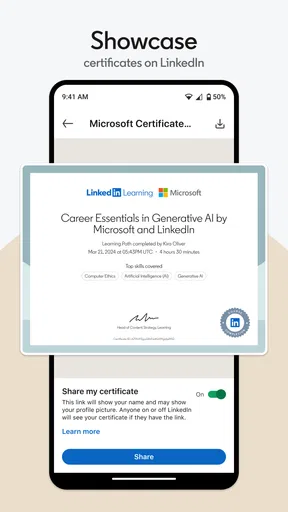
One of the features I absolutely loved was the ability to download courses for offline viewing. Perfect for those moments when you’re on a flight or in a no-WiFi zone. Another cool feature is the integration with LinkedIn. As you complete courses, they automatically update your LinkedIn profile, showcasing your new skills to potential employers.
The platform also offers learning paths, which are curated collections of courses designed to guide you through a specific career goal. It’s like having a personal career coach, and honestly, who wouldn’t want that?
Making offline time and learning paths count
Downloads are most useful when I plan ahead: I can pick a lesson before a commute or a trip, then use that otherwise fragmented time to follow one topic. I would still keep a brief note of the next action to take when I’m back online, such as trying a demonstrated technique or checking a term I didn’t understand. That turns passive viewing into a more deliberate routine. It also avoids the common trap of downloading a long queue of courses that I never get around to opening.
A learning path can be a sensible alternative to browsing course after course when I have a broad goal but lack a sequence. I’d use it as a suggested route, not assume every lesson is essential or equally relevant to my level. Before starting, I’d look for a useful first milestone and decide how much time I can realistically give it. If I only need one specific answer, searching for a focused lesson is likely more efficient than following an entire path.
Data-sensitive moments and user choice
There are a few points where I would pause and make an intentional choice. Recommendations draw on a LinkedIn profile, and course completion can be reflected on that profile, so learning and professional visibility may intersect. That can be valuable if I want colleagues or prospective employers to see a new skill, but it is not necessarily what I want for every course I take. I would check the profile controls and the choices presented during completion before making a course visible as part of my professional story.
I would also take a moment to review the account settings and permission prompts on my own device, rather than assuming that an education app needs access to everything. The permissions a user sees can depend on the device and how the app is used, so I would make each choice based on the feature I actually want. This is a practical habit, not a claim about a particular permission: if a prompt appears, I can decide whether granting it is necessary for my intended use and revisit the decision later if the device allows it.
Who benefits most, and who may prefer another route
I think this app suits people who want guided professional learning in manageable sessions: someone moving into a new role, a freelancer refreshing a business skill, or a creative worker exploring a new tool. It is also useful when I want a structured introduction before deciding whether a subject deserves a larger commitment. The Education category is a natural fit, and LinkedIn is the developer behind the app. It is free to install, is rated for Everyone, and the current version is 2.221.21, with a minimum operating system requirement of 9.
It may be a weaker fit if I need formal academic credit, a credential required by an employer, extensive feedback on assignments, or a strict instructor-led schedule. I would check whether a course meets a specific external requirement before relying on it for that purpose. If I learn best by building projects with frequent critique, a hands-on course or a teacher-led program may serve me better. For a quick overview of a business or creative topic, though, its video-first format can be easier to fit around work than a fixed class.
Comparing it with other ways to learn
Compared with free video tutorials scattered across the web, a curated course library can make it easier to follow a coherent sequence and stay within a professional learning context. The trade-off is that a polished lesson is still a lesson: it may not answer a very narrow question as quickly as a focused search, and watching does not provide the same practice as completing a real task. When I only need to fix one small problem, a targeted tutorial or documentation may be faster. When I need a guided overview and a clear next lesson, this app has the stronger case.
Compared with a live class, I gain flexibility but lose real-time interaction and the pressure of a scheduled session. Compared with a book, video can make demonstrations easier to follow, while a book may be better for slow reference and detailed review. I’d choose based on the job: use a course to get oriented, then switch to documentation, a project, or a human instructor when the subject calls for precision or feedback.
User Experience: The Good and the Not-So-Good
Now, while LinkedIn Learning does a lot right, there are a few areas where it could improve. The subscription model might be a bit of a hurdle for some. The app itself is free, while in-app purchases range from $29.99 to $239.99 per item, so I would check the purchase details shown to me before committing and decide whether I have enough time to use what I’m paying for. That being said, the investment can easily pay off if you make the most of the courses available.
Another minor hiccup is the occasional technical glitch. I encountered a couple of instances where videos took longer to load, but these were few and far between, and the support team was quick to respond.
Setting a realistic pace and checking value
The main practical risk is paying for access and then letting a busy week turn it into an unused subscription. I’d choose one course or learning path, set a modest weekly target, and decide in advance what result would make the time worthwhile. If I cannot name a skill or task I expect to improve, I would wait rather than subscribe out of vague motivation. The app’s free price for installation does not mean every learning option is free, so I would review the purchase screen and any applicable terms carefully before starting a paid option.
For a first session, I would test the basics before building a routine: search for a topic I genuinely need, preview the course structure, and watch enough to judge the instructor’s style. If the app feels slow on my connection, I could plan viewing around a more reliable network or use offline viewing where available. That small trial tells me more than browsing a long catalog without a goal, and it gives me a fair basis for deciding whether the format suits how I learn.
Wrapping It Up: Is LinkedIn Learning Worth It?
In the grand scheme of online learning, LinkedIn Learning stands out as a powerhouse for professional development. Its integration with LinkedIn provides a unique advantage in showcasing your skills directly to your professional network. The vast library of courses ensures that you’ll find something that piques your interest, whether you’re looking to boost your career or pick up a new hobby.
So, is it worth the investment? If you’re serious about expanding your skills and advancing your career, I’d say absolutely. Just be prepared to dedicate the time to truly benefit from all it has to offer. Happy learning!
My cautious verdict
I’d recommend it to a friend who already has a practical learning goal and wants a flexible way to explore business, technology, or creative subjects. I would not recommend treating course completion as proof of expertise, or assuming every lesson belongs on a public professional profile. The best results come from choosing selectively, applying what I learn, and making deliberate choices about visibility and spending.
For someone who wants a self-paced introduction and can make room for regular practice, this is a useful option to try. Someone who needs a recognized qualification, direct instructor feedback, or a fully free route should compare alternatives before committing. My overall view is positive, but the value depends less on the size of the library than on whether I can turn a few well-chosen lessons into skills I actually use.
Pros
- Extensive course library available.
- High-quality video content.
- Expert instructors lead courses.
- Offline access for learning on-the-go.
- Certification upon course completion.
Cons
- Requires a subscription for full access.
- Limited interaction with instructors.
- No free trial for all courses.
- Some courses lack depth.
- Mobile app occasionally lags.
FAQs for LinkedIn Learning
What is LinkedIn Learning and how does it work?
LinkedIn Learning is an online educational platform offering a vast library of video courses taught by industry experts. These courses cover a wide range of topics such as business, technology, and creative skills. Users can subscribe for a monthly fee, granting them access to all courses, or purchase individual courses. The platform is designed to help professionals enhance their skills and advance their careers.
Is LinkedIn Learning free to use?
LinkedIn Learning is not free, but it offers a variety of subscription plans. Users can choose between monthly and annual subscriptions, with the annual plan offering a discount. There is also a one-month free trial available for new users, allowing them to explore the platform and its courses without any initial cost. During the trial, users can access all features and courses.
Can I earn certificates on LinkedIn Learning, and are they recognized?
Yes, upon completing a course on LinkedIn Learning, users receive a certificate of completion. These certificates can be added to your LinkedIn profile to showcase your acquired skills and knowledge. While these certificates are a great way to demonstrate continuous learning, their recognition varies by employer and industry. They are generally more useful for personal development and skill enhancement.
What types of courses are available on LinkedIn Learning?
LinkedIn Learning offers a diverse range of courses across several domains. Users can find courses on business skills, leadership, management, software development, data science, creative topics like design and photography, and more. Courses are designed to cater to all levels, from beginner to advanced, making it a valuable resource for both novices and experienced professionals seeking to upgrade their skills.
How do I access LinkedIn Learning on mobile devices?
LinkedIn Learning is accessible on mobile devices through its dedicated app, available for both Android and iOS. The app allows users to download courses for offline viewing, enabling learning on the go without needing an internet connection. Users can also sync their progress across devices, ensuring a seamless learning experience whether on a smartphone, tablet, or desktop.


